
Table of Contents
- The Most Common Signs of an Online Shopping Scam
- How to Spot a Fake Online Store Before You Buy
- Safe Payment Methods for Online Shopping
- How to Avoid Online Shopping Scams on Mobile
- AI-Generated Scams: The Newest Online Shopping Scam Threat
- What to Do After You Buy: Post-Purchase Monitoring
- What to Do If You've Been Scammed
- Frequently Asked Questions
Last Updated: August 30, 2026
Online shopping scams are more sophisticated than ever, and the gap between a legitimate store and a fraudulent one has never been harder to spot. This guide breaks down exactly how to avoid online shopping scams in 2026, covering everything from spotting fake stores before you buy to protecting yourself after a purchase goes through.
The threat is real and growing. According to the FTC's consumer protection reports, online shopping fraud consistently ranks among the top categories of reported consumer fraud, with losses climbing year over year. Below, we'll cover the warning signs, the payment methods that protect you, the new AI-driven scam tactics most guides haven't caught up with yet, and what to do if something goes wrong.
The Most Common Signs of an Online Shopping Scam
Online shopping scams are fraudulent schemes where bad actors create fake stores, listings, or communications designed to steal your money, your personal data, or both. Recognizing the warning signs early is the single most effective form of protection.
Deals That Look Too Good to Be True
The oldest trick in the book still works because it exploits a real instinct: nobody wants to overpay. Scammers set prices dramatically below market value to trigger urgency. A luxury item at 80% off, a sold-out product suddenly back in stock at a fraction of the retail price, or a "flash sale" with a countdown timer are all classic pressure tactics.
The rule is simple. If the deal makes you feel like you'd be an idiot not to buy, slow down. Fake discounts are designed to short-circuit critical thinking. Legitimate retailers do run genuine sales, but they don't typically price products so low that the math stops making sense.
Watch for these specific patterns:
- Prices that are significantly lower than every other seller, including major marketplaces
- "Limited stock" warnings that reset every time you reload the page
- Discount codes shared through unsolicited emails or social media DMs
- No explanation for why the price is so low
Suspicious Emails, Ads, and Social Media Links
Phishing is the delivery mechanism for most online shopping scams. A convincing email, a well-targeted social media ad, or a sponsored post can redirect you to a fraudulent website that looks identical to a real one. The URL is usually slightly wrong, the payment page collects your card details, and the product never arrives.
Social engineering is the underlying technique here. Scammers craft messages that mimic brands you already trust, complete with logos, formatting, and even fake customer reviews. Unsolicited emails with urgent subject lines ("Your order has a problem", "Confirm your payment now") are a major red flag. Never click a link from an email you weren't expecting. Go directly to the retailer's website by typing the URL yourself.
How to Spot a Fake Online Store Before You Buy
Spotting a fake online store before you buy comes down to a few verifiable signals that fraudulent sites almost always fail. Check the URL, look for real customer reviews, and verify that a legitimate contact method exists. Most fake stores fall apart under even basic scrutiny.

Check the URL, HTTPS, and Domain Age
HTTPS is the starting point, not the finish line. A padlock icon in the browser bar means the connection is encrypted, which prevents third parties from intercepting your data in transit. What it does not mean is that the site itself is legitimate. Fraudulent websites routinely use HTTPS. It's easy to obtain a security certificate.
URL verification is where the real work happens. Look for:
-
Misspellings or added characters:
amaz0n.com,walmart-deals.net,shop-apple.coare classic examples of typosquatting -
Unusual domain extensions:
.shop,.xyz,.storearen't inherently suspicious, but combined with other red flags they matter - Domain age: A store launched two weeks ago selling high-demand electronics at steep discounts is almost certainly fraudulent. Free tools let you check when a domain was registered
A secure connection matters, but URL verification and domain age checks are what actually separate real stores from fraudulent websites.
Look for Real Reviews and a Working Contact Page
Most fake stores either have no reviews, obviously fabricated five-star reviews, or reviews that are oddly generic ("Great product! Fast shipping!"). Real customer reviews are specific. They mention the product, describe the experience, and sometimes include photos.
Check for reviews on independent platforms rather than relying solely on what's displayed on the site itself. A working contact page with a real address, a phone number, and a responsive email is another strong signal. Send a test inquiry before you buy if you're unsure. Fraudulent websites typically have no functional contact information, or the address leads to a residential property or a non-existent location.
Safe Payment Methods for Online Shopping
Credit cards offer the strongest consumer protection for online purchases. When you pay by credit card, you have the right to dispute unauthorized charges and fraudulent transactions through your card issuer's chargeback process, which puts the burden of proof on the merchant.
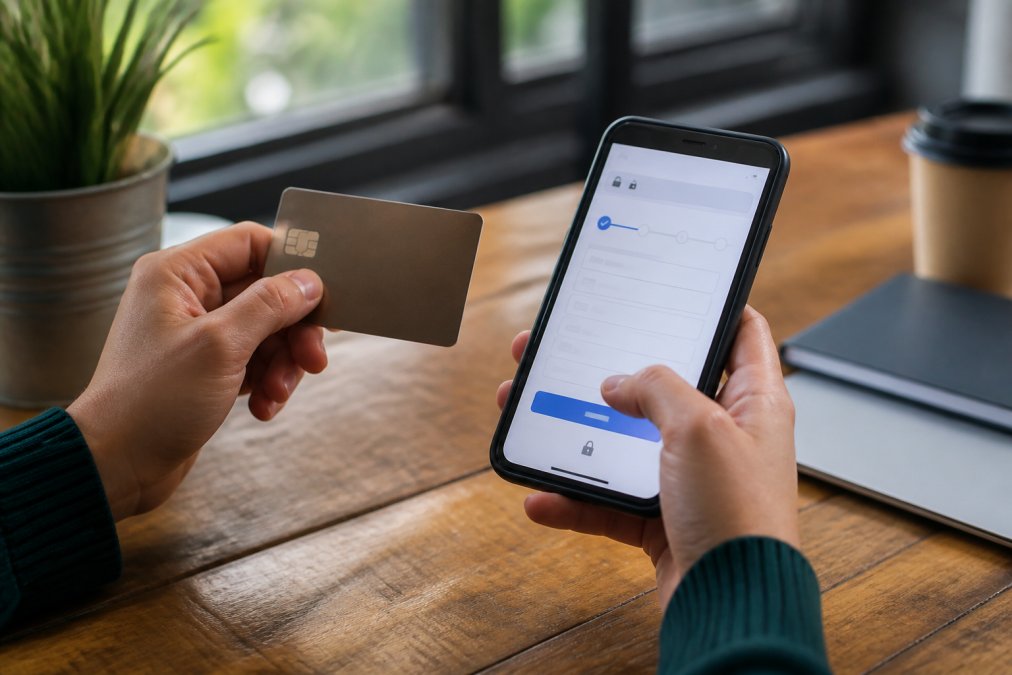
Debit card risks are significantly higher. A fraudulent charge on a debit card comes directly out of your bank account, and recovery depends on how quickly you report it. The dispute process is slower and the protections are weaker in most jurisdictions.
Payment methods ranked by protection level:
| Method | Fraud Protection | Recovery Speed | Recommended? |
|---|---|---|---|
| Credit card | Strongest (chargeback rights) | Fast | Yes |
| PayPal / digital wallets | Strong (buyer protection) | Moderate | Yes |
| Debit card | Moderate (varies by bank) | Slow | Use with caution |
| Bank transfer | Minimal | Very slow / rare | Avoid for unknown sellers |
| Cryptocurrency | None | Irreversible | Avoid entirely |
| Gift cards | None | Irreversible | Never for purchases |
A secure payment gateway will always show HTTPS in the address bar and typically displays recognizable payment processor logos. If a checkout page asks you to pay via bank transfer, gift card, or cryptocurrency, treat it as a scam. Legitimate retailers do not require these methods.
Two-factor authentication on your payment accounts adds another layer of transaction security. Enable it on your bank account, your PayPal, and any digital wallet you use for online shopping.
How to Avoid Online Shopping Scams on Mobile
Mobile shopping introduces risks that desktop browsing doesn't. Smaller screens make URL verification harder. A truncated address bar might show secure-checkout.com without revealing the full domain. Browser security indicators are smaller and easier to miss. And mobile users are more likely to tap links from SMS messages or social media apps without thinking twice.
Mobile-specific risks to watch for:
- SMS phishing: Fake delivery notifications are among the most common mobile scams. A text claiming your package is held up and asking you to "verify your details" via a link is almost always fraudulent
- App store fakes: Third-party app stores outside of official platforms sometimes host counterfeit shopping apps that mimic real retailers
- Public Wi-Fi: Making purchases over unsecured public networks exposes your transaction data. Use mobile data or a VPN when shopping on the go
- Auto-filled payment details: Convenient, but if you're on a fraudulent site, your saved card details go straight to the scammer
The fix for most of these is the same: verify the URL before tapping, avoid clicking links from unsolicited texts, and stick to official apps from verified publishers. According to cybersecurity guidance from the National Cyber Security Centre, keeping your device's operating system and browser updated is one of the most effective defenses against malware that targets financial data.
AI-Generated Scams: The Newest Online Shopping Scam Threat
This is the part most guides haven't caught up with yet. AI-generated scam detection is now a real consumer skill, because AI-generated scams are now a real consumer threat.
The problem is scale and polish. Fraudulent websites used to be easy to spot because they were poorly written, visually inconsistent, and full of obvious errors. AI tools have eliminated those tells. Scammers now generate convincing product descriptions, realistic-looking customer reviews, professional store designs, and even fake customer service chatbots, all at near-zero cost.
What to watch for specifically:
- Suspiciously perfect reviews: AI-generated reviews tend to be grammatically flawless but emotionally flat. They describe products in generic terms without specific details
- AI-generated product images: Tools that detect AI-generated images are increasingly available. If product photos look hyper-realistic but slightly off, run them through a reverse image search
- Chatbot "customer service": A responsive chatbot that deflects specific questions about return policies, shipping times, or contact addresses is a red flag, not a reassurance
- Deepfake endorsements: Fake social media ads using AI-generated celebrity endorsements have become common. The celebrity hasn't endorsed anything; the video is fabricated
The practical defense is the same as always: verify independently, check for real human reviews on third-party platforms, and trust your instincts when something feels off despite looking polished.
What to Do After You Buy: Post-Purchase Monitoring
Most guides stop at the purchase. That's a mistake. Post-purchase monitoring is where you catch problems before they become serious.
The steps are straightforward:
- Save your order confirmation: Keep the email, the order number, and the seller's contact details in one place
- Monitor your card statement: Check for unauthorized charges within 48 hours of any online purchase. Scammers sometimes make small test charges before larger ones
- Track your shipment actively: If tracking information doesn't appear within the promised window, contact the seller immediately
- Watch for account takeover signals: If you created an account on a site that turns out to be fraudulent, change any passwords you reused elsewhere. Data breaches from fake stores can feed credential-stuffing attacks on your real accounts
- Set up transaction alerts: Most banks and card issuers offer real-time notifications for every charge. Enable them
Identity theft often starts with a data breach from a fraudulent shopping site. Your name, address, email, and card number are enough to open accounts in your name. The sooner you catch unauthorized activity, the easier it is to contain.
According to consumer protection guidance from the Consumer Financial Protection Bureau, reporting unauthorized charges to your card issuer as quickly as possible is the most important step in limiting your liability.
What to Do If You've Been Scammed
Being scammed online doesn't mean the money is gone forever. The recovery process is time-sensitive, so act fast.
Immediate steps:
- Contact your bank or card issuer and report the transaction as fraudulent. Request a chargeback if you paid by credit or debit card. The sooner you do this, the better your chances
- Report the scam to your national consumer protection authority. In the US, that's the FTC. In the UK, it's Action Fraud. These reports help authorities track patterns and shut down fraudulent operations
- Document everything: Screenshots of the website, order confirmations, email exchanges, and payment records all support your dispute
- Change your passwords if you created an account on the fraudulent site or used the same password elsewhere
- Monitor your credit report for signs of identity theft. If your personal information was compromised, consider a fraud alert or credit freeze
Dispute resolution timelines vary by payment method and issuer, but credit card chargebacks typically resolve within 30-60 days. The process is much slower and less certain for bank transfers.
One thing worth knowing: if you paid by gift card or cryptocurrency, recovery is extremely unlikely. These payment methods are irreversible by design, which is exactly why scammers prefer them.
For additional guidance on reporting digital scams and understanding your consumer protection rights, the FTC's IdentityTheft.gov resource provides step-by-step recovery plans tailored to different types of fraud.
Avoiding online shopping scams requires more than checking for a padlock icon. The threat has evolved, and so has the knowledge needed to stay ahead of it. Munk'Goods is built on the principle that online shopping should be trustworthy: a curated product selection, real customer accountability, and a shopping experience backed by Shopify's secure checkout infrastructure. If you're ready to shop with confidence, explore the Munk'Goods collection and find goods that actually deliver on what they promise.
Frequently Asked Questions
Which is the biggest red flag for online shopping scams?
The clearest red flag is a price that sits well below what every other seller charges for the same item. Fraudulent websites use fake discounts to create urgency and bypass your usual caution. Other strong warning signs include no HTTPS in the URL, no verifiable contact details, recently registered domains, and payment options limited to wire transfer or gift cards, which offer no dispute resolution if something goes wrong.
How can I tell if an online store is legitimate?
Start with URL verification: the address should begin with https:// and match the brand name exactly, with no extra characters or misspellings. Then check for genuine customer reviews on independent platforms, a working phone number or email address, and clear return and refund policies. Stores built on established platforms with recognizable secure payment gateways are generally safer than unknown sites with limited payment options.
Are social media ads safe for online shopping scams?
Social media ads carry higher risk than searches on established marketplaces because almost anyone can pay to place them. AI-generated scam ads now use convincing product photos and fabricated reviews to appear credible. Before clicking through to buy, search the store name independently, check how long its website has been active, and look for real customer feedback outside the ad itself. Never enter payment details directly from a link in an unsolicited ad.
What should I do if I think I've been scammed while shopping online?
Act quickly. Contact your bank or credit card provider to dispute the charge and request a chargeback. If you paid by debit card, report it immediately since debit cards have weaker consumer protection than credit cards. Report the fraudulent website to your national consumer protection authority. Change any passwords used on that site, monitor your accounts for unauthorized charges, and consider placing a fraud alert with a credit reference agency if personal information was shared.
This article was written using GrandRanker